Held-item lighting
Supported shining items illuminate the nearby area while they are held in the player’s hand.
Dynamic Lights Mod adds dynamic lighting to Minecraft so supported light sources can illuminate nearby areas while they are carried, equipped or dropped.
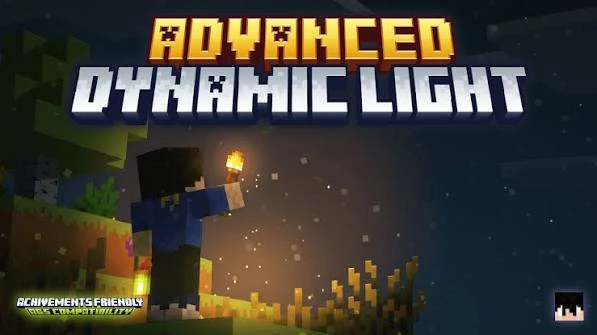
Dynamic Lights Mod adds portable and moving lighting to Minecraft. Supported shining items can light nearby areas while held, equipped in armor slots, or dropped on the ground, allowing the light source to move with the player or item.
The current direct download is Dynamic Lights Mod 26.2.1NF for Minecraft 26.2 with NeoForge. It is provided as the official install-ready JAR file dynamiclights-26.2.1NF.jar.
Portable lighting follows supported items as they are carried, equipped or dropped, with configuration options for additional shining items.
Supported shining items illuminate the nearby area while they are held in the player’s hand.
Supported items can continue to emit light after they are dropped into the world.
Supported shining armor items can provide light while they are equipped.
Additional item identifiers can be added to the shining-item configuration when needed.
The lighting effect updates as a supported player-held or dropped light source changes position.
Dynamic lighting works with full water blocks, with known limitations around partial water and enclosed blocks.
The current main file is the NeoForge release for Minecraft 26.2.
The project also publishes separate Forge builds for supported Minecraft versions.
For online play, install the mod on both the client and server using matching supported versions.
The mod checks supported equipped or dropped items that should act as light sources.
Dynamic light is applied around the supported source as its position changes.
The lighting effect updates as the player or dropped item moves through the world.
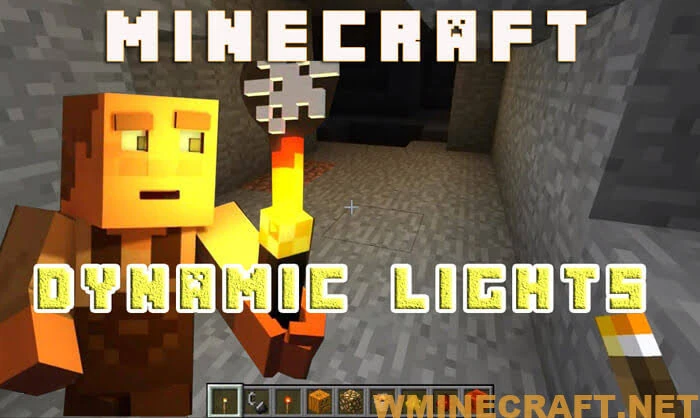
Download Dynamic Lights Mod 26.2.1NF for Minecraft 26.2 with NeoForge. The button downloads the install-ready JAR file directly from this website.
Download Dynamic Lights ModUse the direct download only with the matching Minecraft version and mod loader shown below.
Match the game version before adding the mod.
The direct file is the NeoForge build, not the Forge build.
Current main NeoForge release listed for Minecraft 26.2.
Place the downloaded JAR in the matching profile’s mods folder.
Use the JAR with a Minecraft 26.2 NeoForge profile, then place it in the profile’s mods folder.

Start with a Minecraft 26.2 profile that uses a compatible NeoForge installation.
Click the Dynamic Lights Mod download button to save the install-ready JAR directly from this website.
Move the downloaded JAR into the profile’s mods folder, then launch the same Minecraft 26.2 NeoForge profile.
Dynamic lighting is most useful when the light source needs to move with the player or remain active after an item is dropped.
Carry a supported shining item while exploring dark caves so the nearby area remains visible as you move.
Keep a supported light source with you while moving around an unfinished build in low-light areas.
Drop a supported shining item to create a temporary light source at its current position.
Start with version matching and a known supported shining item before changing advanced settings.
Confirm that the profile is running Minecraft 26.2 before loading this JAR.
The direct download is the NeoForge build. A Forge-only profile requires a different release.
If no light appears, test a supported item and review the shining-item configuration for custom items.
For online play, make sure the required matching mod setup is present on both the client and server.
Dynamic lighting updates move with supported items, so the workload changes with the number of active moving light sources and the rest of the modded setup.
The mod focuses on portable light sources, configurable shining items, and current releases for NeoForge and Forge.
Supported held, equipped and dropped items can act as moving light sources.
Additional item identifiers can be added to the shining-item configuration.
The project provides current releases for NeoForge and separate Forge builds where supported.
Dynamic Lights Mod adds portable and moving lighting to Minecraft for supported shining items.
The direct download is Dynamic Lights Mod 26.2.1NF.
The direct file is listed for Minecraft 26.2.
The direct file is the NeoForge release.
The download is an install-ready JAR file.
The file name is dynamiclights-26.2.1NF.jar.
The release listing shows a file size of 46.5 KB.
No. The download button downloads the JAR file directly from this website.
The project also provides a separate Forge 26.2 release, but the main download on this site is the current NeoForge file.
This specific release is listed for Minecraft 26.2. Use it only with the game version and loader it supports.
Use Minecraft 26.2 with NeoForge, download the JAR, place it in the profile’s mods folder and start the matching profile.
Yes. Supported shining items can illuminate nearby areas while equipped.
Yes. Supported shining items can continue to provide light when dropped.
Supported shining armor items can be configured to contribute light while equipped.
Yes. The mod supports adding item identifiers through its settings configuration.
Check that the item is supported or configured, and confirm that Minecraft 26.2 and NeoForge match the downloaded build.
Yes. Moving light updates can add processing work, so performance depends on the game and mod setup.
The mod handles air and full water blocks, while partial water and some enclosed positions have documented limitations.
Confirm the Minecraft version, NeoForge version and downloaded JAR, then test with a simpler mod setup to isolate conflicts.
The Guides section covers download, installation, compatibility, features and troubleshooting.